

Backlog Refinement and AI: What Really Changes | Yevgeniy Ampleev
Reading:
Backlog Refinement and AI: What Really Changes
Share:
Backlog Refinement and AI: What Really Changes
views icon439

Backlog Refinement and AI: What Really Changes

Avatar
Article author: Yevgeniy Ampleev
26 March 2026 at 12:54

This is the first article in a series on how AI is changing the classic meetings of a cross-functional product development team. I’ll start below with Backlog Refinement; in the following posts I’ll cover Planning, the Daily, the Review, and the Retrospective separately—and then bring everything together in a final overview article.

First, to set the scope: below, I talk about refinement as a regular team session and the practice of clarifying backlog items, not necessarily as a separate official Scrum event. This matters for terminological precision: in the Scrum Guide 2020 (Russian PDF), refinement is described as an ongoing activity rather than a standalone event. In the Russian translation of the Scrum Guide 2020, this is stated explicitly: refining the Product Backlog is a continual activity of adding details, order, and size.

Backlog Refinement is one of the first places where AI starts bringing a team very tangible value. It helps you gather context faster, prepare a first draft of the ticket, quickly generate a draft of acceptance criteria, find similar cases, and formulate a list of open questions. This thesis is also supported by applied work: for example, LLM-Assisted Requirements Engineering in Agile MDD validated acceptance-criteria generation, and the industrial case Acceptance Test Generation with Large Language Models reported that AI-generated scenarios helped surface previously missed cases. But this is exactly why it is easy to fall into a trap here: confusing a well-packaged draft with a task the team genuinely understands.

In my view, AI does not make refinement “simpler” in the sense that the team needs to think less. Rather, it makes the most expensive manual work around refinement cheaper—search, summarisation, packaging, and a first-pass decomposition. That means the value of the team discussion does not disappear; it shifts: less time goes into turning chaos into something that looks like a ticket, and more time goes into answering the question that really matters—whether this is something we should take into implementation at all.

“AI doesn’t speed up the team’s alignment itself; it speeds up preparing the material for that alignment.”

Why changes are felt first in Backlog Refinement

If you look across the usual ceremonies and meetings in Agile practice, refinement turns out to be one of the most sensitive to the appearance of AI. The reason is simple: traditionally, refinement comes with a lot of manual intellectual “ground work.” You have to collect fragmented context from documents, old tickets, chat threads, and people’s memory. You have to turn a raw business idea into a clear backlog item. You have to articulate the business problem, the scenario, acceptance criteria, constraints, open questions, dependencies, and likely edge cases.

AI fits this layer especially well. That matches how the use of large language models (LLMs) in requirements engineering is discussed today: models are strong at summarisation, first-pass structuring of requirements, generating working drafts, and supporting analytical preparation, but weaker where domain accuracy, traceability, and accountability for final decisions are required. In that sense, refinement really is one of the first processes where AI’s benefits are felt quickly—and its reliability limits are felt almost immediately. This is discussed well in Challenges in applying large language models to requirements engineering tasks, in the more recent systematic review Large Language Models (LLMs) for Requirements Engineering (RE): A Systematic Literature Review, and in the applied work LLM-Assisted Requirements Engineering in Agile MDD.

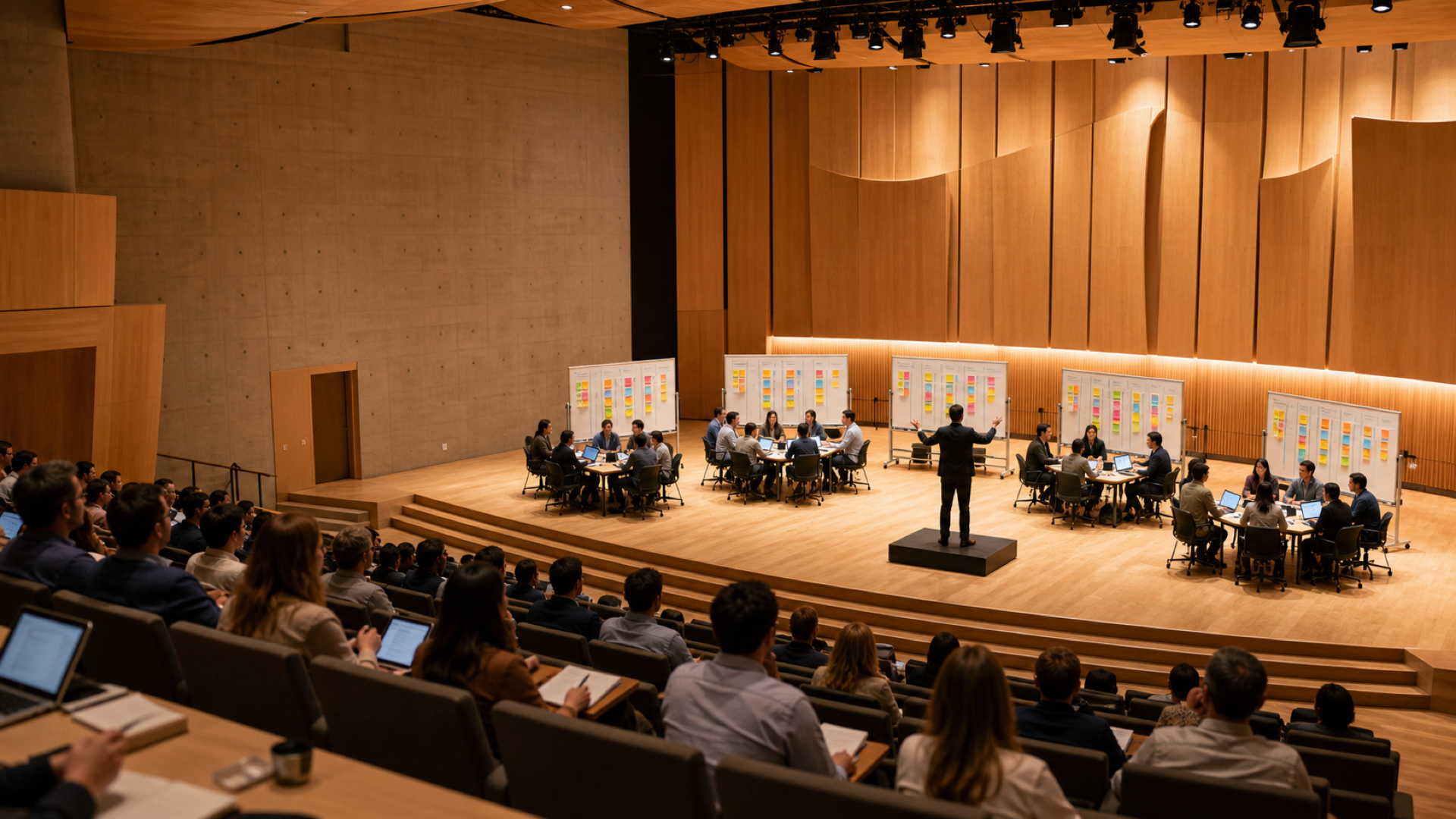
A team analysing a backlog item using AI and Agile artefacts
AI can meaningfully speed up preparation for refinement, but it does not replace collective sense-checking.

What refinement looked like before AI

To simplify: before AI, refinement was very often a manual process of assembling understanding. The backlog would not contain a ready task yet—it would contain a business intention: improve onboarding, add reminders, give a manager a new report, reduce the number of overdue support requests. After that, the Product Owner, an analyst, or someone in a lead role would manually gather context: old customer cases, similar features, constraints in the current architecture, existing statuses, existing notifications, UI patterns, and everything else that might suddenly surface during the discussion.

Next, that same person (or pair) would manually try to convert what they found into a first draft: articulate the business problem, describe the scenario, write acceptance criteria, bring open questions to the surface, and note possible constraints. But even if a draft already existed, the meeting still often got consumed by “loading” the context into the whole team’s head. The Product Owner would re-explain what the business wants, the analyst would recount what they had already learned, developers would raise architectural constraints, QA would pull out boundary scenarios, and the designer and frontend developer would discuss whether a dedicated screen is needed and where it would live.

The same case: without AI and with AI

To avoid staying at the level of slogans, let’s take a concrete case. The product is a B2B LMS platform for corporate training. Large customers assign employees mandatory courses on compliance, security, and internal policies. The business request is: add automated email reminders for employees who have not completed a mandatory course before the deadline.

At first glance, this looks like a simple “send an email” feature. But within the first steps it becomes clear that there are many branches: who exactly counts as “not completed,” when reminders should be sent, how to deduplicate sends, how this is configured by a customer, whether a send log is needed, what to do about time zones, which email language to use, and whether archived and deactivated users should be excluded.

Without AI

In a no-AI mode, the team would typically arrive at these questions through a long manual preparation phase and a heavy conversation during the meeting itself. First, the Product Owner would bring up the customer context. Then an analyst would walk through internal materials by hand: look for older similar requests, inspect the notification service, check current assignment statuses, confirm whether there are existing scheduler jobs, and locate fields like locale and time zone—as well as similar Jira tickets. Even at this stage, real constraints would surface: the system has email templates, but only for transactional emails; time zone exists at the customer (tenant) level, not per user; there is no send log; and there is no dedicated “reminders” model in the product.

After that, the analyst would manually assemble the first draft of the task—but it would still remain immature. For example, it might not pin down the exact statuses that should trigger reminders, the deduplication logic, the minimal UI scope, language fallback rules, or the boundaries of the first version. Then, during refinement, the team would finish assembling the task in the conversation itself. That is where they might agree that reminders are only for mandatory courses; that the statuses not_started and in_progress make sense; that expired should probably be left out of v1; that without a send log Support and Customer Success will quickly drown in questions; and that without an explicit guard there will be duplicates when jobs are rerun.

With AI

With AI, the same case looks different. The Product Owner prepares an anonymised input pack: a Customer Success summary, the latest customer messages, and the raw initial request. AI quickly clusters customer pain points, highlights recurring expectations, and helps shape the problem statement. The analyst asks AI to pull up everything related to notification flows, assignment statuses, scheduler jobs, locale, time zones, and similar Jira tickets. A backend developer runs the current notification-architecture description through AI and asks it to propose a technical approach. The frontend developer and designer quickly sanity-check where settings and a send history would fit. QA produces a starter list of edge cases and timing risks.

This naturally raises a question: what if AI misses something? How much can you trust a summary—especially when the source base is large? Research and practical case studies paint a fairly sober picture: LLMs can indeed speed up the generation of user stories, draft acceptance criteria, and first-pass task write-ups, but output quality depends heavily on the input context, the domain, and evidence-based human verification. That is why it helps to keep applied work like AI-Generated User Stories: Are They Good Enough? and LLM-Assisted Requirements Engineering in Agile MDD in mind: they illustrate that producing a strong draft and being “ready for development” are not the same thing.

In my own experience working with Cursor, in practical scenarios I rarely doubt that the model can do a useful first pass over a large set of sources. What matters more is how well I frame the task, what constraints I set, what clarifying questions I manage to add, and how exactly I organise verification. When I do have doubts, I don’t try to solve them with the abstract question “do I trust AI or don’t I?” Instead, I refine the prompt: I ask to surface sources, highlight disputed areas, separate facts from hypotheses, or regenerate the answer under a different frame. In that sense, working with AI is very similar to coaching: the useful meta-skill is asking precise questions that don’t just trigger generation, but steer the model’s reasoning in the direction you need.

Of course, that is my personal experience, not a universal rule. I may write a separate piece about trust, the quality of clarifying questions, and controlled verification. For refinement, this is especially important: the larger the source base and the more convincing the summary, the higher the risk of confusing strong preparation with already validated understanding.

“The larger the source base and the more convincing the summary, the higher the risk of confusing strong preparation with already validated understanding.”

The result: the team arrives at refinement not with a raw idea, but with a fairly strong draft: a draft user story, draft acceptance criteria, open questions, a risk list, a preliminary technical approach, and a UI proposal. The meeting becomes shorter and more substantive. Instead of spending most of the time loading baseline context, the team discusses the genuinely contentious points: whether to include expired, whether per-user time zones are needed, whether a send log is required in the first release, whether to start with fixed triggers only, how to protect against duplicates, and what exactly counts as the v1 boundary.

What does team progress look like here?

When a team starts using AI, it mostly works as a fast generator of a first draft. But as maturity grows, the next logical step is to stop relying only on a generic model and gradually move into a team-managed context the knowledge that used to exist only in people’s heads. This can include product principles, acceptance-criteria templates, common reasons a ticket is rejected during refinement, typical edge cases, architectural constraints, a set of standard clarifying questions, internal policies and procedures, organisation- and team-level Definition of Ready and Definition of Done, and examples of good solutions for similar cases.

Then the quality of the first draft really does improve—not because the model suddenly “understood the domain on its own,” but because the team learned to systematically feed its own thinking patterns, internal constraints, and verification rules into the AI layer. In that sense, refinement becomes not only a place to validate a task, but also a place where the team gradually trains its own AI layer.

What changes by role

It helps to look at roles not only as abstract functions, but as concrete actions in the reminders case. That is how the difference between working without AI and with AI becomes truly visible.

Role Without AI With AI
Product Owner Manually rebuilds customer context, consolidates Customer Success input, and re-explains the business problem during the meeting. Prepares a de-identified input pack, asks AI to cluster customer pain points, and brings a draft problem statement plus a list of product decisions that need alignment.
Business Analyst Finds similar cases, manually gathers statuses, constraints, and dependencies, then rewrites it all into the first task draft. Orchestrates AI queries across sources, checks the summary against the underlying materials, edits acceptance criteria, and records open questions and likely omissions.
Backend Developer Often gets deeply into the problem for the first time during refinement, surfacing constraints in the notification service and duplicate risks as the discussion evolves. Arrives with a first pass on technical options and validates deduplication, scheduler jobs, audit trail, and v1 boundaries ahead of the meeting.
Frontend Developer During the meeting, works with the designer to figure out whether a separate screen is needed, where settings should live, and what truly belongs in the minimal UI. Reviews an AI draft of UI integration before the meeting and flags contentious decisions around settings, states, and UI constraints early.
QA Engineer Mostly joins in during the meeting, pulling out negative scenarios, status collisions, and time-related risks in the shared conversation. Receives a starter edge-case list beforehand and verifies that AI did not miss duplicates, time zones, language fallback scenarios, and user-status exclusions.
UX/UI Designer Learns the problem as the discussion unfolds and sketches whether a new screen, a settings block, or a send-history view is needed. Quickly prototypes a few UI approaches with the frontend developer and arrives with a considered proposal, rather than starting from scratch.
Scrum Master Brings participants together, keeps time, prevents the team from getting lost in chaotic context loading, and steers the discussion back to the point when it sprawls. Spends less time on organisational mechanics and baseline-context alignment and more on facilitating contentious decisions, capturing open questions, and keeping discussion quality high.

Benefits, risks, and the time you free up

AI’s benefits in refinement are very tangible: context is gathered faster, a first ticket draft appears faster, discussions start more smoothly, and outcomes are packaged more clearly. But refinement is also where AI risks show up early. The most obvious is false clarity. AI can produce neat backlog items that look great visually and structurally. Because of that, a team can more easily fool itself into thinking a ticket is understood, even though product and technical gaps remain.

It is useful to name these risks explicitly. First, there is automation bias and over-reliance—the tendency to accept a system’s recommendation too readily and shift from active verification to passive monitoring. The NIST Generative AI Profile describes this as “excessive deference” to AI systems, and an empirical study on automation bias in AI decision support (Automation Bias in AI-Decision Support: Results from an Empirical Study) suggests that higher perceived benefit can increase false agreement with the system’s errors, while better user training reduces that effect. Second, there are hallucinations: plausible outputs that are not supported by sources. This is particularly critical in refinement because AI often works via summarising documents, tickets, and conversations: the risk is not only “a beautiful but invented set of acceptance criteria,” but also a quiet distortion of the original context. This is well described in work on summarisation faithfulness and factuality (On Faithfulness and Factuality in Abstractive Summarization). A practical antidote is straightforward: ask the model to separate facts from hypotheses, require references back to sources, and structure summaries so they can be quickly traced back to documents, tickets, and team decisions.

There is another risk layer: data. In the case above, AI touches customer messages, internal system descriptions, and user signals. The team needs to decide upfront what can be provided to the model and what cannot. For generative AI, risk is not limited to the prompt: personal data can appear in the input, in the output, and even via memorisation/regurgitation behaviours of models. So if personal data or sensitive customer context is involved, basic data-hygiene practices should be non-negotiable: minimise data included in prompts; anonymise/de-identify inputs where possible; avoid feeding raw exports without filtering; be explicit about the processing purpose; and don’t take provider claims like “we don’t process personal data” on faith without verifiable organisational and technical controls. It is also useful to document the legal basis for processing, the minimal required fields, roles and accountability in the process, and—where applicable—requirements for informing data subjects. If the scenario involves personal data and scale or risks are material, assessing whether a DPIA (data protection impact assessment) is needed is a sensible step. In the European context, this aligns with GDPR principles (including Article 5) and practical guidance from CNIL, the EDPS guidance on Generative AI, and the EDPB Opinion 28/2024.

This raises another important question: where does the specialist time you free up actually go? The easiest option is to squeeze in more tasks. A more mature option is to invest that time into decision quality, reducing technical debt, developing internal templates, learning, documentation, and simply better attention management across the team. In the final overview article of the series I plan to discuss how AI changes not only process mechanics, but also the culture of using team time.

New hidden costs you can’t ignore

To keep the efficiency conversation from sounding too smooth, it’s important to acknowledge the downside: AI rarely delivers “pure savings” without introducing new work. Some time now goes into preparing data, configuring access to sources, maintaining prompts and templates, checking sources, documenting decisions, and human review. This view is consistent with generative-AI risk management approaches: for example, the NIST Generative AI Profile emphasises not only automation benefits but also the need for oversight, documentation, and governance.

Scenario-based effort estimate for a single Backlog Refinement

The model below is not “the market average”—it is a scenario model of the same Backlog Refinement session for the same seven-person team: Product Owner (PO), Business Analyst (BA), backend, frontend, QA, designer, and Scrum Master (SM). This estimate is for one large or significantly uncertain backlog item, not for a small and well-understood story. The value of the numbers is not precision to the minute, but a comparative view of the cost structure: where time used to go and where it goes now.

Importantly, this is about person-hours per one large backlog item—preparation, discussion, and a short follow-up after the meeting— not about the meeting duration as such. The meeting itself often becomes shorter too, but some work simply moves into asynchronous preparation, follow-up prompts, and mandatory manual verification.

Note on the effort estimate. Historically, in the Scrum Guide 2017 (Russian PDF), refinement was also described as an ongoing process, and it included a rule of thumb that it usually takes no more than 10% of the Development Team’s capacity. In the Scrum Guide 2020 (Russian PDF), that rule of thumb is no longer present, so it is better to read the tables below not as a standard, but as a scenario model for comparing two ways of working.

One more clarification: the “With AI” column below already includes the minimal new work without which this scenario does not hold— input preparation, follow-up prompts, a first check of the summary against sources, verification of disputed areas, and basic human review. In other words, the “gain” in the table is not “gross” savings before new costs, but a more realistic scenario estimate after including them.

To make an estimate reproducible, it is convenient to use a simple formula: TAI = Tbase × ((1 − p) + p × s) + o, where Tbase is time without AI, p is the share of work that can be accelerated, s is the acceleration factor on that share, and o is the new work for data preparation, follow-up prompts, and verification.

Below is a calibrated example for this base scenario. Its purpose is not to prove a universal norm, but to show how the same model can reproduce table numbers for one concrete case. In a real team, it is better to calibrate parameters on 3–5 recent refinement sessions and derive your own range.

# Calibrated to reproduce the table (base scenario)
# T_ai = T_base * ((1 - p) + p * s) + o
roles = {
    "PO": {"T_base": 4.5, "p": 0.75, "s": 0.20, "o": 0.7},
    "BA": {"T_base": 10.0, "p": 0.70, "s": 0.20, "o": 0.6},
    "BE": {"T_base": 3.5, "p": 0.75, "s": 0.20, "o": 0.6},
    "FE": {"T_base": 3.0, "p": 0.75, "s": 0.20, "o": 0.3},
    "QA": {"T_base": 3.0, "p": 0.50, "s": 0.20, "o": 0.2},
    "UX": {"T_base": 3.0, "p": 0.50, "s": 0.20, "o": 0.2},
    "SM": {"T_base": 2.5, "p": 0.50, "s": 0.20, "o": 0.0},
}

def t_ai(x):
    return x["T_base"] * ((1 - x["p"]) + x["p"] * x["s"]) + x["o"]

total_base = sum(r["T_base"] for r in roles.values())
total_ai = sum(t_ai(r) for r in roles.values())

print("Total base:", round(total_base, 1))
print("Total AI:", round(total_ai, 1))
print("Gain:", round(total_base - total_ai, 1))

for role, x in roles.items():
    print(role, round(t_ai(x), 1))
Role Without AI With AI (including new work) What changes
Product Owner 4.5 h 2.5 h Gathers customer context faster, but spends part of the time on input preparation and follow-up prompts.
Business Analyst 10 h 5 h Less manual searching and rewriting, more verification, editing, and checking what AI might have missed.
Backend Developer 3.5 h 2 h Gets a faster first technical pass, but still checks architectural constraints and duplicate risks.
Frontend Developer 3 h 1.5 h Evaluates UI integration and settings faster, and engages earlier in validating contentious areas.
QA Engineer 3 h 2 h Receives edge cases and time risks earlier, but is more involved in checking omissions and negative scenarios.
UX/UI Designer 3 h 2 h Builds the first UI approach faster and filters out unnecessary interface directions earlier.
Scrum Master 2.5 h 1.5 h Less time on baseline context alignment, more on facilitating decisions and capturing open questions.
Total 29.5 h 16.5 h Scenario gain: ~13 person-hours per such refinement item, even after including basic new work.
Scenario range: how the gain can vary
Scenario Without AI With AI Net gain When it happens
Cautious 24–28 h 18–21 h 4–10 h Sources are incomplete, manual verification is heavy, and the team is still building AI working templates.
Base 28–32 h 15–18 h 10–15 h This is close to the modelled case: AI accelerates preparation well, and new verification work is already included.
Strong 30–36 h 14–17 h 13–19 h The team has good sources, repeatable templates, and clear rules for data hygiene and manual verification.

What new work is already included in the “with AI” scenario

The table below does not cancel the gain shown earlier. It simply unpacks which new actions bring some time back into the process— and why the net effect can still remain noticeable after that.

New work area What appears with AI Why it matters
Input preparation Cleaning, anonymising/de-identifying, extracting only the needed context So the model isn’t flooded with noise and you don’t pull in unnecessary data
Follow-up prompts Re-runs, refining the answer scope, asking to separate facts from assumptions So you don’t mistake the first “nice” answer for validated understanding
Template setup Prompts, ticket templates, output-format rules So AI produces a useful, repeatable draft instead of random text
Fact checking Checking links to sources, terminology, statuses, constraints So you catch hallucinations and false clarity before the meeting
Documenting trust Recording what was checked manually and why the result is trusted So accountability is not replaced by a “pretty” draft

Differences by stage

Stage Without AI With AI
Context gathering before the meeting Long manual search across documents, tickets, and people’s memory A first pass across sources and a summary are produced noticeably faster
Draft ticket write-up Written manually and often remains rough A strong draft exists that the team can critique and refine
Backlog Refinement itself A lot of time is spent aligning baseline understanding Focus shifts to contentious decisions, dependencies, and v1 boundaries
Follow-up after the meeting Often requires rewriting the ticket almost from scratch Outcomes are already packaged well and require less manual rework

Quality checklist for AI-based preparation for refinement

Important: this Definition of Ready is an internal team practice, not part of the Scrum Guide. Here it is used as a guardrail against false clarity, omissions, and blurred accountability in AI-assisted preparation.

Definition of Ready for an AI draft
  • Facts are separated from assumptions: the team understands what comes from sources and what is proposed by the model.
  • There are links or clear pointers to sources for key product and technical statements.
  • Open questions are not hidden under polished text; they are stated explicitly.
  • Domain terms, statuses, constraints, roles, and dependencies are verified.
  • For each key statement, the level of evidence is clear: fact from a source, working hypothesis, or model assumption.
  • Edge cases, negative scenarios, and time-related risks are checked explicitly.
  • It is clear what data could not be provided to the model and what data-hygiene measures were applied.
  • Owners are assigned for verification by statement type: business logic, architectural feasibility, testability, and data handling.
  • The team agrees that the AI draft is raw material for discussion, not an “almost ready” ticket.

To make this checklist less abstract, here is what it would look like in our email-reminders case:

  • AI proposes including statuses not_started, in_progress, and expired. The team explicitly marks that expired remains a hypothesis rather than a confirmed rule for v1.
  • The summary says notifications should be sent by the user’s time zone. Backend checks sources and confirms that, in the current system, time zone is stored only at the customer level, and time-zone transitions and DST require an explicit check.
  • AI adds send history as an “obvious” part of the solution. The Product Owner and analyst decide explicitly whether this is mandatory for v1 or a follow-up improvement, because it also touches auditability and support load.
  • QA receives not only a list of edge cases, but a concrete task list: verify duplicates on job re-runs, language fallback scenarios, exclusions for archived/deactivated users, and negative scenarios around deadlines.
  • Backend checks rate limits, throttling, deliverability, and system behaviour under repeated sends and provider errors.
  • The Product Owner and analyst validate notification policy: who is allowed to receive reminders, where opt-out or customer-level exceptions are needed, and what is acceptable behaviour for mandatory courses.

For this kind of case, it is worth calling out two practical topics that often surface closer to production: email deliverability quickly turns into support load if you don’t have solid diagnostics for “why the email didn’t arrive,” and quiet hours and calendar windows are often not a “nice-to-have,” but a corporate customer requirement.

Who checks what manually
What is checked Owner Example in the LMS case
Goal and product policy Product Owner and Business Analyst Who gets reminders and when, which exceptions are acceptable, and where v1 boundaries sit.
Correctness of rules and statuses Business Analyst Which statuses count as “not completed,” what to do with expired, and what is actually confirmed by sources.
Architectural constraints Backend Developer Deduplication, scheduler jobs, idempotency, audit trail, rate limits, and behaviour under repeated sends.
UI boundaries for v1 Frontend Developer and UX/UI Designer Where settings live, whether a send-history screen is needed, and which UI scenarios truly belong in v1.
Negative and time-based scenarios QA Engineer DST, time zones, language fallback scenarios, archived/deactivated users, and duplicates on job re-runs.
Facilitation of decisions and open questions Scrum Master What is already decided, what remains contentious, and where the team needs to make an explicit trade-off.
Data hygiene and data admissibility Product Owner/Business Analyst and, if present, Security or DPO What can be provided to the model, what must be de-identified, and which checks are mandatory before AI preparation runs.

What I would recommend to a team

  • Don’t treat an AI draft as a “ready ticket” just because it looks good.
  • Explicitly agree which parts of context must be verified manually before the meeting and which can be checked during the meeting.
  • Gradually move your own product and process patterns into your team AI layer, instead of using a generic chat “as is.”
  • Don’t shorten refinement mechanically just because preparation became faster.
  • Decide consciously where freed-up time goes: quality, learning, documentation, technical debt, or restoring team attention.

It is also worth remembering the limits of applicability of this scenario. AI’s impact will vary widely based on documentation maturity, access to internal sources, domain complexity, and the team’s ability to convert tacit knowledge into repeatable context. Where the underlying data is weak, AI may speed up packaging, but it won’t necessarily improve decision quality.

Conclusion

In short, the main effect of AI in refinement is this: AI doesn’t speed up the team’s agreement itself; it speeds up preparing the material for that agreement. That is why refinement gets faster on the way in: context is gathered faster, a draft appears faster, basic questions and risks surface earlier, and outcomes are packaged more quickly.

But this does not make refinement automatically easier. Because once preparation becomes cheaper, the value of what AI still cannot do truly well increases: understanding the domain, feeling real constraints, noticing false clarity, handling data carefully, and helping the team make conscious trade-offs.

So a useful way to look at AI in refinement is this: it removes part of the expensive manual work around the practice, but it makes human sense-checking even more important. The easier it becomes to produce backlog items, the more important it becomes to tell which ones are genuinely ready for discussion and which ones only look ready. In the next posts of the series, it will be interesting to see how this shift affects not only process mechanics, but also the culture of using team time.

Sources and reference points


Share this article:

    Add a comment
    divider graphic

    You may also like

    Image
    14 December 2019
    visible icon2438

    Using an Individual Contribution Rating for Each Team Member in Scrum and SAFe

    In this article I want to describe how, in my day-to-day practice, we use an individual co..

    Image
    13 December 2019
    visible icon2444

    Practical use of Cumulative Flow in the context of Scrum and SAFe

    In this article, I plan to explain how, in my day-to-day practice, we use the Cumu..

    Image
    19 December 2019
    visible icon2666

    Practical Use of Burn Down Charts in SAFe and Scrum

    In this article I want to describe how, in practice, we use the Burn Down Chart while work..

    arrow-up icon